New in Backstage: more overview, more control
A dashboard you put together yourself, campaigns you adjust while they run, and two new features in the Backstage app.
- Published
- Topic
- Product
This time it is about more overview and more room to move: you now put your dashboard together yourself, you adjust running campaigns right in Backstage, and the Backstage app can do two more things.
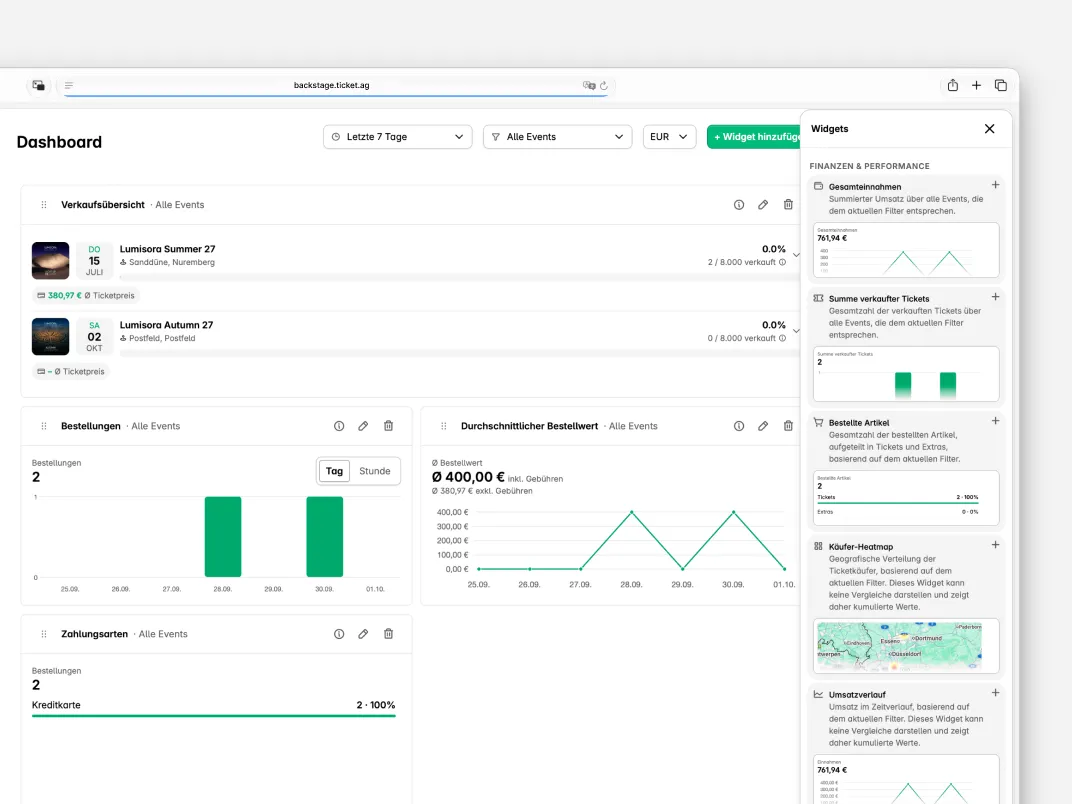
Your dashboard, your widgets.
From the widget catalogue you pick figures from three areas: finance and performance, entry and live data, and planning and capacity. You give every widget a name of its own, sort the widgets by drag and drop and compare selected events side by side. Your view stays as it is after the next login.
Adjust the budget and run time of running campaigns.
You now change the budget and run time of your published campaigns right in Backstage. More budget for the final push of the presale or a longer run: you change the values on the running campaign and no longer need to log in to Meta for it.
Conversion tracking in the app.
Conversion tracking for your links is now in the Backstage app too. For each link you see clicks, conversions and revenue, for your whole shop or for one event. You create new links right in the app, with a QR code to download. So you know on the go which channel sells your tickets.
Deposits in the app.
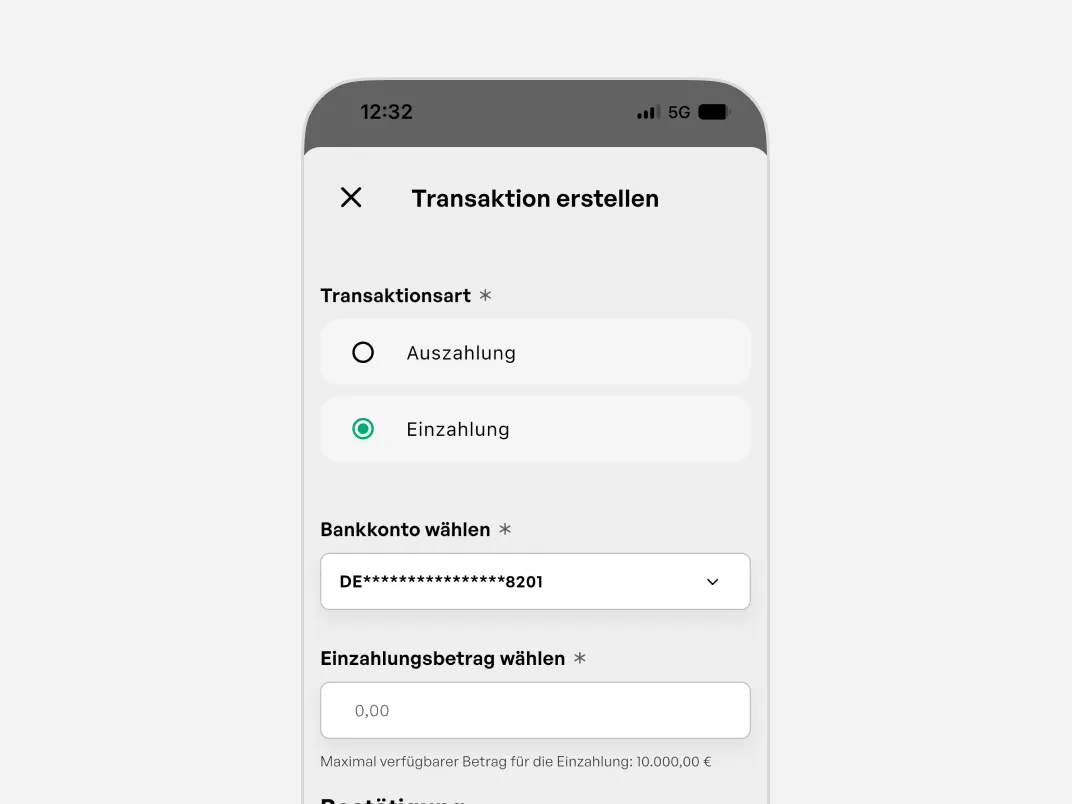
In the transactions area of the Backstage app, formerly payouts, you can now also pay money in when an event has already been paid out. You choose deposit as the type, a verified bank account and the amount, at most as much as has been paid out. The overview then shows the type and status of every transaction.
Questions or feedback? Get in touch with your contact person. Every change, with its version number, is on Latest updates.